
A little more order. A lot less retyping.
Your catalog.
A clear quote.
Turn your products into a quote, right in Chrome. Add quantities, review the total, then copy it into a message or save a PDF.
Local prototype 0.4.0 · No account · No payment required
Illustrative USD example. Sales tax is not calculated.
THE WORKSPACE
Everything the quote needs.
Room to see it clearly.
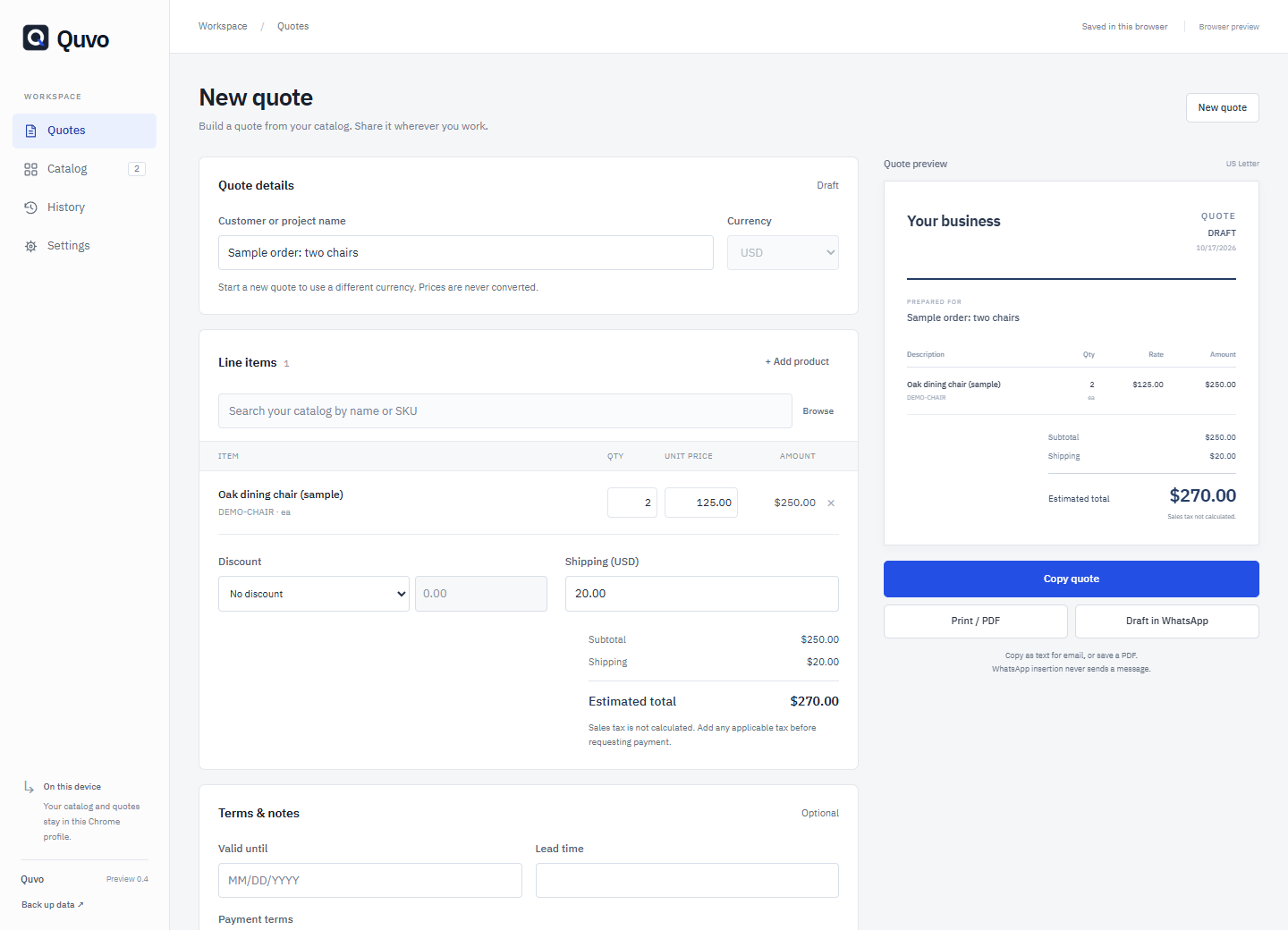
Keep your catalog, quote details, and live preview together. Use the side panel alongside your work, or open the full workspace.
FROM INSTALLATION TO YOUR FIRST QUOTE
A short setup.
A useful routine.
This is an unpacked prototype for desktop Google Chrome 116 or later. Installation takes a few manual steps in Chrome.
See every step in the video- 01
Install and pin Quvo
Download and extract the Windows package. Run setup to prepare the extension folder, then open chrome://extensions, enable Developer mode, and choose Load unpacked. Select the extension folder and pin Quvo.
The installer prepares the files. You complete the connection in Chrome.
- 02
Build your first quote
Add products to Catalog or import a CSV. Choose a quote currency, add items and quantities, and review discounts, shipping, and terms. Save, copy the text, or choose Print / PDF.
Tax is not calculated automatically. Review the final amount before sharing.
- 03
Make it yours. Keep a backup.
Choose your language in Settings; number and date formats follow it. Set currency separately: USD, EUR, GBP, CAD, AUD, KZT, or RUB. Export a full JSON backup regularly and keep it outside Chrome.
Seven interface languages. No exchange-rate conversion. A catalog CSV is not a full backup.
WATCH & FOLLOW ALONG
See the whole flow.
A practical guide, from installing Quvo to saving a quote and protecting your data.
QUVO 0.4.0 / LOCAL PROTOTYPE
Start with your
first quote.
Try the current prototype without an account, subscription, or license key. Payment is not connected.
Desktop Chrome 116+. This prototype is not yet on the Chrome Web Store. The Windows installer is not digitally signed.
GOOD TO KNOW
A few clear answers.
Where does my data go?
Your catalog, quotes, draft, and settings stay in local browser storage in your current Chrome profile. Quvo has no account system, sync server, or built-in usage analytics. Export a JSON backup before moving or removing the extension.
How do language and currency work?
The interface supports English, Russian, Spanish, German, French, Portuguese, and Kazakh. Language follows your browser or your choice in Settings; number and date formats follow that language. Quote currency is a separate choice. Prices are never converted between currencies.
Can I use Quvo without WhatsApp?
Yes. Create, save, copy, and print quotes without WhatsApp. Optional WhatsApp Web access is requested only after your action. Quvo reads the visible chat heading and inserts a draft into an empty composer. It does not read chat history or send messages. You review and send it yourself. If insertion is unavailable, copy and paste manually.
Does Quvo calculate tax or exchange rates?
No. Quvo calculates item totals, discounts, and shipping. Tax must be handled manually before requesting payment. Changing currency does not convert prices. Review every quote before sharing it.
What happens when I update or remove it?
Export a full JSON backup first. Update the files in the same extension folder and reload its card in chrome://extensions. Removing the extension or its Chrome profile can delete local data. Installing from another folder can create a separate storage area.
Is this a paid, finished product?
This is a working local prototype, version 0.4.0. It requires no purchase, account, or subscription; payments are not connected. It is not yet published on the Chrome Web Store. External WhatsApp Web compatibility may change.
Your workspace stays on your device.
No account. No built-in analytics. Keep regular backups: local data can be lost when you remove the extension.